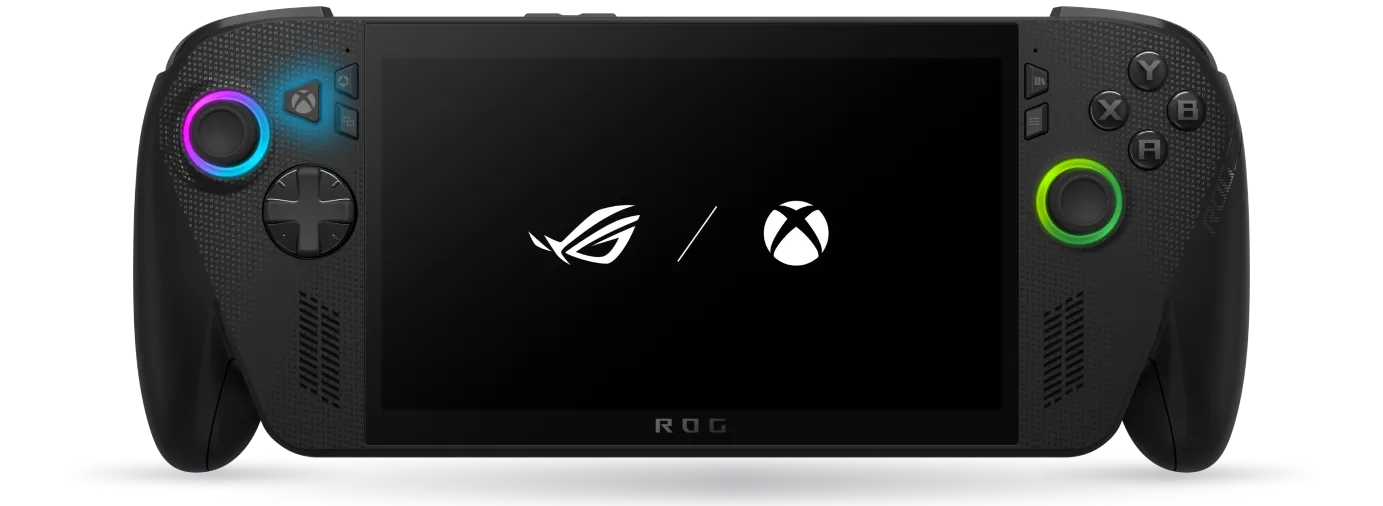
Premium Xbox-focused handheld hardware with a console-like layer on top of Windows.
Presets
11
Benchmarks
6
Best FPS
83
Avg FPS
59

Operating system
Windows 11 with Xbox Full Screen Experience
Processor
AMD Ryzen AI Z2 Extreme
Memory
24 GB LPDDR5X
Display
7 inch
Battery
80 Wh
Weight
715 g
Hardware
Operating system
Windows 11 with Xbox Full Screen Experience
Processor
AMD Ryzen AI Z2 Extreme
Memory
24 GB LPDDR5X
Storage
1 TB NVMe SSD
Display size
7 inch
Resolution
1920 × 1080
Refresh rate
120 Hz VRR
Battery
80 Wh
Weight
715 g
Atlas data
Highest tested
83 FPS
Average tested
59 FPS
Published presets
11
Published benchmarks
6
Device profile
Performance data and presets shown below are loaded directly from the live HandheldAtlas database.
Game settings
Tested in Batman: Arkham Knight at 1920x1080 using a 35W performance profile. The result is best treated as a Balanced 50 FPS preset with strong visual quality. Gameplay stays comfortably above a 40 FPS target most of the time, although heavier scenes can still cause short frametime spikes.
Confidence 60/100 · 0 confirmed
Resolution
1920 x 1080
TDP
35W
Average
49 FPS
1% Low
34 FPS
can be set lower for higher stable fps i preffer native
Balanced 40 FPS preset for Assassin’s Creed Origins on the ROG Xbox Ally X. Tested at 1920x1080 with a 35W performance profile. Across three CapFrameX runs, the game averaged around 42 FPS with a 1% Low of approximately 32 FPS. This preset is aimed at smooth and stable open-world gameplay rather than high refresh-rate performance. Frame pacing is generally solid for a 40 FPS target, although heavier city areas, fast traversal or dense scenes may still cause occasional short drops.
Confidence 63/100 · 0 confirmed
Resolution
1920 x 1080
TDP
35W
Average
42 FPS
1% Low
32 FPS
Tested at 1920x1080 using a 35W performance profile with Windowed Full-Screen mode, V-Sync Off, Max FPS set to 240 and no main screen frame rate limit. The preset uses AMD FidelityFX Super Resolution set to Performance mode with FSR Frame Generation enabled. Variable Rate Rendering was disabled. Custom performance-focused settings were used: Basic view distance, shadows, effects, vegetation, shaders, lighting and world detail; Balanced internal resolution and texture quality; Quality post-processing; and Performance scope quality. Across three CapFrameX runs, performance averaged around 80 FPS with an average 1% low of approximately 31 FPS. The game feels fast overall, but the low 1% and 0.1% values show occasional frametime spikes or heavier scene transitions.
Confidence 64/100 · 0 confirmed
Resolution
1920 x 1080
TDP
35W
Average
46.6 FPS
Devil May Cry 5 was tested at native 1920×1080 resolution on the ROG Xbox Ally X using a 35 W docked power profile. The game was configured with a custom High/Ultra visual quality preset. Ambient occlusion, lighting and vegetation were set to Ultra, while anti-aliasing, textures, shadows, mesh quality and texture filtering were set to High. Tessellation, depth of field, motion blur, HDR output and high mip preloading were enabled. Dynamic resolution and V-Sync were disabled. During the stable gameplay segment, the benchmark averaged 46.6 FPS with a 1% low of 34.8 FPS and a 0.1% low of 33.9 FPS. GPU usage stayed very high at around 96%, indicating a mostly GPU-limited scenario.
Confidence 83/100 · 1 confirmed
Resolution
1920 x 1080
TDP
35W
Average
46.6 FPS
1% Low
This preset is tuned for crisp image quality while maintaining an average of 83 FPS, with a maximum of 100 FPS and a minimum of 70 FPS. The available performance headroom also allows you to increase selected graphics settings for even better visual quality based on your personal preferences.
Confidence 70/100 · 1 confirmed
Resolution
1920x1080
TDP
35W
Average
83 FPS
1% Low
60 FPS
The game was tested at native 1920×1080 resolution in docked mode using a 35 W power profile and custom performance-focused settings.The benchmark achieved approximately 60 FPS on average, with an estimated 1% low of around 40 FPS. Occasional brief drops below this level may occur during loading or heavier scenes.
Confidence 48/100 · 0 confirmed
Resolution
1920 x 1080
TDP
35W
Average
60 FPS
1% Low
40 FPS
Visual Quality preset. The game was tested at native 1920×1080 resolution using a custom High/Ultra graphics configuration. Ambient occlusion, lighting and vegetation were set to Ultra, while textures, shadows, mesh quality, texture filtering and anti-aliasing were set to High. Tessellation, depth of field, motion blur and high-resolution texture preloading were enabled. Dynamic resolution and V-Sync were disabled, allowing the game to render continuously at native 1080p without automatically reducing image quality.
Confidence 48/100 · 0 confirmed
Resolution
1920 x 1080
TDP
35W
Average
48 FPS
1% Low
36 FPS
A docked 1080p quality profile targeting a stable 60 FPS with improved draw distance, textures and environmental detail for larger displays.
Confidence 55/100 · 0 confirmed
Resolution
1920 x 1080
TDP
30W
Average
60 FPS
1% Low
48 FPS
A battery-focused 40 FPS profile that preserves good image quality while significantly reducing power consumption and fan noise.
Confidence 54/100 · 0 confirmed
Resolution
1280 x 720
TDP
13W
Average
40 FPS
1% Low
32 FPS
Built for maximum responsiveness and high refresh gameplay. Image quality is reduced slightly to keep combat and traversal consistently smooth.
Confidence 54/100 · 0 confirmed
Resolution
1280 × 720
TDP
25W
Average
80 FPS
1% Low
62 FPS
The recommended everyday profile. Strong image quality, smooth frame pacing and enough performance headroom for demanding cities and combat without wasting power.
Confidence 54/100 · 0 confirmed
Resolution
1600 × 900
TDP
18W
Average
60 FPS
1% Low
48 FPS
Performance data
| Game | Preset | Resolution | TDP | Average | 1% Low | Battery |
|---|---|---|---|---|---|---|
| Cyberpunk 2077 | Docked · Crips Quality with space for improvements | 1920 x 1080 | 35W | 83 FPS | 65 FPS | Not set |
| Arena Breakout: Infinite | Performance · Docked / 80 FPS Target | 1920 x 1080 | 35W | 80 FPS | 31 FPS | N/A / Docked |
| Middle-earth: Shadow of War | Docked · Docked 1080p | 1920 x 1080 | 35W | 50 FPS | 36 FPS | Not set |
| Batman: Arkham Knight | Docked · Native 1080p 50FPS | 1920 x 1080 | 35W | 49 FPS | 34 FPS | N/A / Docked |
| Devil May Cry 5 | Docked · Visual Quality / High–Ultra Native 1080p | 1920 x 1080 | 35W | 47 FPS | 35 FPS | N/A |
| Assassin's Creed Origins | Balanced · Balanced 40 FPS | 1920 x 1080 | 35W | 42 FPS | 32 FPS | N/A / Docked |
You can lower in cost of Texture Filtering
Personal preference
1% Low
34.8 FPS
34.8 FPS
Default: 1920x1080 | Problem: image clarity | Why: Native 1080p keeps the image sharp on a 1080p display | FPS: -4 | Visual: High | Restart: No
Default: Borderless Window | Problem: alt-tab stability / capture compatibility | Why: Borderless improves convenience and works well with overlays and recording tools | FPS: 0 | Visual: Low | Restart: No
Default: Variable | Problem: FPS limit | Why: Variable allows the game to use all available performance instead of forcing a fixed cap | FPS: +2 | Visual: Low | Restart: No
Default: 180.00Hz | Problem: display smoothness / input latency | Why: 180Hz allows lower latency and smoother frame delivery even with variable FPS | FPS: 0 | Visual: Low | Restart: No
Default: Off | Problem: input latency | Why: Off reduces input lag and avoids performance stalls, especially on handheld hardware | FPS: +1 | Visual: Low | Restart: No
Default: Normal | Problem: rendering compatibility | Why: Normal keeps the game stable and avoids unnecessary experimental rendering behavior | FPS: 0 | Visual: Low | Restart: No
Default: 100% | Problem: blurry image / upscaling artifacts | Why: 100% keeps native internal resolution with no upscaling or image softness | FPS: -4 | Visual: High | Restart: No
Default: Ultra | Problem: low texture detail | Why: Ultra keeps character, weapon and environment textures sharp | FPS: -2 | Visual: High | Restart: No
Default: Ultra | Problem: blurry textures at angles | Why: Ultra keeps surfaces sharper with almost no major FPS cost | FPS: -1 | Visual: Medium | Restart: No
Default: Ultra | Problem: object detail / geometry quality | Why: Ultra keeps models and environment detail cleaner | FPS: -2 | Visual: High | Restart: No
Default: FXAA+TAA | Problem: jagged edges / shimmering | Why: FXAA+TAA smooths edges and improves image stability | FPS: -2 | Visual: High | Restart: No
Default: On | Problem: blurred motion / reduced clarity | Why: Off keeps the image sharper during fast combat | FPS: +1 | Visual: Medium | Restart: No
Default: High | Problem: combat effects quality | Why: High keeps attacks, particles and visual effects looking strong without going full GPU murder mode | FPS: -3 | Visual: High | Restart: No
Default: Medium | Problem: heavy GPU load | Why: Medium keeps shadows acceptable while saving performance | FPS: +4 | Visual: Medium | Restart: No
Default: Off | Problem: VRAM / memory usage | Why: Off avoids extra memory pressure on handheld hardware | FPS: 0 | Visual: Low | Restart: No
Default: Off | Problem: GPU load / darkening cost | Why: Off improves performance and avoids extra shadowing cost | FPS: +3 | Visual: Medium | Restart: No
Default: Off | Problem: glow / overbright highlights | Why: Off keeps the image cleaner and slightly sharper | FPS: +1 | Visual: Low | Restart: No
Default: On | Problem: cinematic light glare | Why: On keeps the intended flashy DMC look with minimal performance cost | FPS: 0 | Visual: Low | Restart: No
Default: High | Problem: lighting atmosphere quality | Why: High keeps fog and volumetric lighting looking richer | FPS: -3 | Visual: High | Restart: No Screen Space Reflections
Default: Variable | Problem: reflection quality / GPU load | Why: Variable balances reflection quality depending on scene demand | FPS: 0 | Visual: Medium | Restart: No
Default: Variable | Problem: skin/material light softness | Why: Variable keeps character materials more natural without forcing max cost | FPS: 0 | Visual: Medium | Restart: No
Default: Off | Problem: color fringing / image clarity | Why: Off removes fake lens distortion and keeps the image cleaner | FPS: 0 | Visual: Low | Restart: No
Default: SRGB | Problem: color accuracy | Why: SRGB provides standard, consistent colors for SDR displays | FPS: 0 | Visual: Medium | Restart: No
Changing crowd density has impact on FPS Permormance
Set by player individualy what FOV distance suits him best.